Showing posts with label android. Show all posts

Tuesday, 24 June 2014

Increase Ram In Your Android Smart Phone...

    Want to play a high end graphic game in your old android phone? Your phone crashes when you try to work on various apps at the same time? The major feature of your phone which constitute to these problems is the RAM. Now, if you are able to extend your RAM you can be capable of performing all those tasks.


Increasing ram does not mean that you are internally adding some hardware to your Android device. Its not possible for a normal man to alter the hardware of Android phone so as to increase its Ram. Its been risky and one need to be professional to change the hardware. And also manufacturer has some guidelines for this.

Wednesday, 11 June 2014

SMS Spoofing using KALI...

 The new Kali-Linux (BT6) comes with many advance and increasing features and one of its incredible feature is its SMS spoofing weapon. So today we will have fun with this feature and see how easily we can spoof SMS. This is an amazing and improved feature that has made many security professionals think. Anyone can easily spoof sms from various numbers and there is no chance to be caught. This feature is located in the SET (Social Engineering toolkit).

Friday, 30 May 2014

How to root android phone (easy method)...


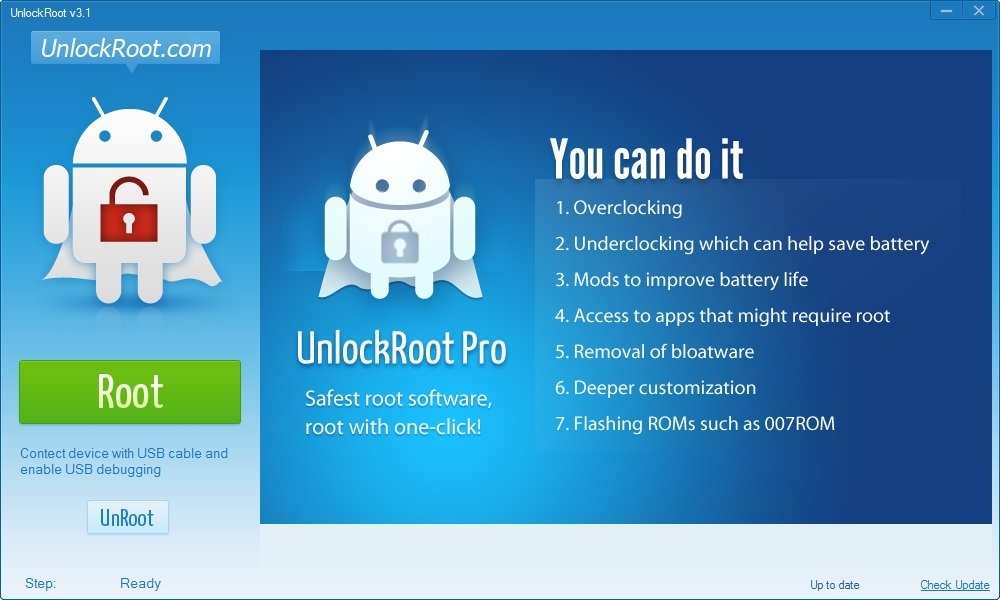
Today i am gonna show how we can root android phone, although there are many methods to  root. here in this tutorial we make use of software called unlockroot.


 requirements 

 1.windows pc 

2.internet connection 

3.ofcourse android phone that you want to root


Thursday, 29 August 2013

How to make a txt message virus uring mobile phone...


Step1. Make sure that the sim card you are using is not Familiar to the person you want to virus.
we suggest you to used brand new Simcard

Step 2.Load The simcard. at least 30.00 so you can register it to UNLITXT Promo
You can do it to any Network like SUN or Smart

Step 3.Prepare your weird random txt character.you can create your own language,
Whatever that will looks like a programming language, Use you creativity

Samle Character¦ Cellphone Virus
<.>Script/<>%100.15.25.000.87.:"Fatal Error"
Begin<>Virus Name=I Love You^x run ? Yes
/Void-Progindex{Nokia+32bits#.00000&%>
Str:STOP/Config-Never>
<>

Tuesday, 6 August 2013

How install Android OS using VMware player on PC....

Infact there are many methods to run android on pc like using bluestacks and other tools,

I would suggest  to preffer this method which is standard one and easy 

follow the steps:

1.Download and install VMware Player. This is VMware’s entry-level free virtualization product for end users.

you can download it here:  VM player


2.Download the android-x86-vm-iso file and extract it somewhere on your computer.

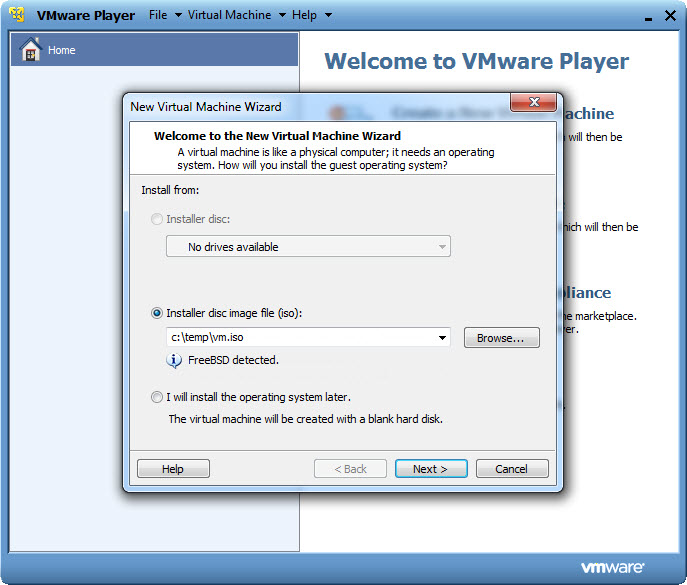
3. Create a New Virtual Machine. Set the “Installer disc image file” to the Android x86 ISO file you just 

downloaded:

Download android-x86(latest version) for pc and laptop...


Android-x86 is an unofficial initiative to port Google's Android mobile operating system to run on devices powered by Intel and AMD x86 processors, now make your computer to run android os , follow the link to download : android-x86


Auto Scroll Stop Scroll